Planning a trip to Japan can feel like preparing for an exam you didn’t know you signed up for.
There are multiple train systems with different operators, buses that don’t always show up clearly on Google Maps, restaurants that don’t speak much English, and attractions that quietly sell out before you even land.
If you’ve been searching for the best apps for travel to Japan, you’ve probably seen lists recommending 20+ downloads.
Well, you don’t need that many.
During my multi-city trips across Tokyo, Kyoto, Osaka, Kanazawa, Takayama, Matsumoto, and even smaller onsen towns like Hirayu Onsen, I downloaded and tested far more Japan travel apps than I actually ended up needing.
If I had to narrow it down to just two essential Japan travel apps, it would be Google Maps and Google Translate!
So instead of overwhelming you, here are the 11 apps for travel to Japan that actually make a multi-city trip smoother—whether you’re navigating complex train transfers, booking timed-entry attractions, or just trying to read a menu without guessing what you ordered.
Let’s get into it.
Navigation & Transport
1. Google Maps (Best Navigation App for Japan Travel)
If I could only keep one Japan navigation app on my phone, it would be Google Maps.
I used it daily for train routes in Tokyo, subway transfers in Kyoto, walking directions through temple districts, and even checking restaurant hours before heading out.
For most cities, it was incredibly reliable and honestly a lifesaver.
In major cities like Tokyo and Osaka, Google Maps integrates extremely well with Japan’s rail systems.
It shows platform numbers in many stations, live departure times, transfer walking directions inside massive stations like Shinjuku, and even which train car is closest to the exit. For most urban routes, it’s incredibly accurate.


But it isn’t perfect everywhere, especially when it comes to rural bus systems or smaller regional towns.
In Kanazawa, some local buses showed up with their Japanese names instead of clear bus numbers. I saw the stop I wanted to go, just hopped on the first bus that arrived, and confidently went in the wrong direction.
It was only about 30 minutes later, after a very scenic but unnecessary detour, that I realised the issue and switched to Navitime to get the correct route 😅
Travel trick: Also, if you want more local food spots, search in Japanese. I would translate the dish name using Google Translate, paste it into Maps, and suddenly see smaller neighborhood restaurants instead of tourist-heavy places. That is how I found a tiny family-run curry spot in Takayama that I probably would not have stumbled upon otherwise.
2. Japan Navitime
Japan Navitime is the only other navigation app I recommend downloading.
Among all Japan transport apps, Navitime is the most detailed for regional routes.
I didn’t use it daily, but I opened it whenever I wanted extra confirmation. After boarding the wrong local bus in Kanazawa, I decided guessing wasn’t a strategy I wanted to repeat.
Navitime gives more detailed route breakdowns than Google Maps, including fare comparisons, timetable-level details, and platform information in many major stations.
The same applies when organizing transport toward Mount Fuji, where connections can feel slightly more complicated.
It’s especially useful for JR Pass travelers because of its pass filter feature. You can toggle the JR Pass option in the route search, and the app will prioritize routes covered by the pass while filtering out trains that are not included, such as Nozomi services.

So if you’re not using a JR Pass and mostly staying in major cities, you’ll probably be fine with Google Maps alone. But for regional travel or pass-heavy itineraries, it’s definitely a helpful backup tool to have!
3. Suica Mobile
Suica Mobile is more of a digital convenience than a standalone app.
Suica is a rechargeable IC card that lets you tap in and out of trains, subways, and buses across most major cities in Japan. You can buy the physical card at major stations, but if you prefer going fully digital, you can add Suica directly to your phone wallet instead.

It works exactly the same at the gates. Tap your phone when entering, tap again when exiting, and the fare is deducted automatically.
This makes city-hopping between places like Tokyo, Kyoto, and Osaka much smoother.
I personally used the physical card and had no issues. But there were definitely moments, especially during rush hour in places like Shinjuku Station, when I was standing at a ticket machine topping up while watching people breeze through the gates with their phones.
The main advantage of the mobile version is topping up. You can recharge instantly using Apple Pay or Google Pay, so there’s no queuing and no last-minute balance panic at the gate.
That becomes especially helpful when you’re switching lines quickly or catching a train with only a few minutes to spare.
So if you’re comfortable with a physical IC card, you’ll be completely fine.
But if you prefer keeping everything digital and skipping the occasional queue, Suica Mobile is one of the most convenient Japan transport tools to have.
4. GO
If you’re looking for Japan’s version of Uber, GO is the closest equivalent.
It’s the country’s main taxi-hailing app, allowing you to book a taxi directly from your phone instead of flagging one down.
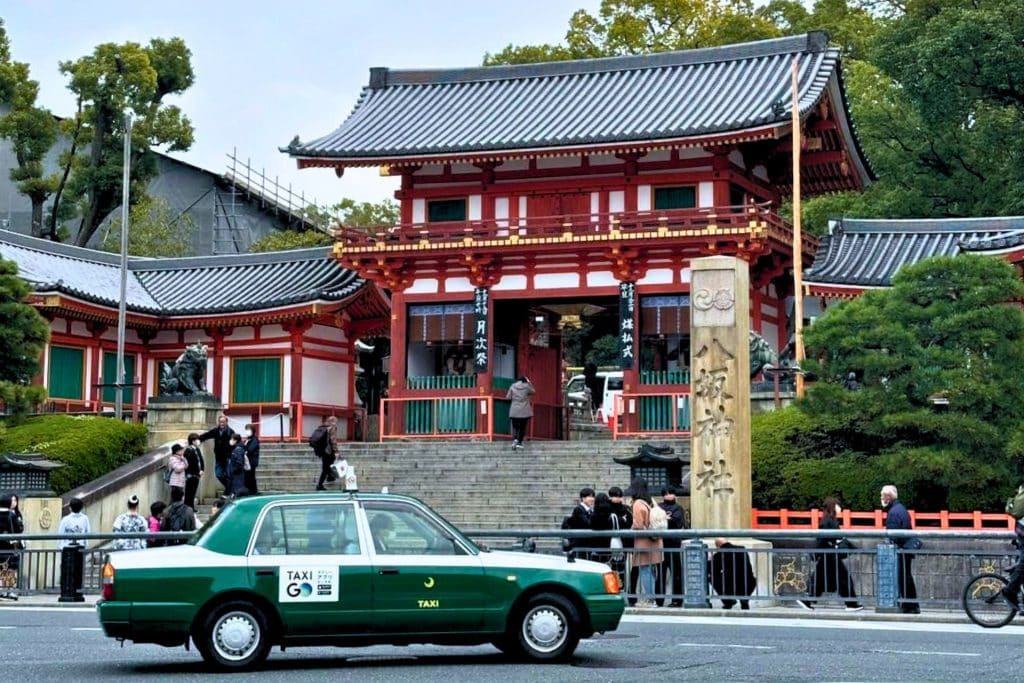
You enter your pickup location and destination, see the estimated fare, and can link a credit card to pay through the app. Using the app also minimizes any language barrier between you and the driver.
Extra note: There’s this International Service Charge of 200 yen ($2) for foreign travelers for every GO booking that is used to fund multilingual support.
I only used it twice during my trip, when I needed to get to the station to catch a long-distance bus. I had spent slightly more time wandering than my schedule technically allowed, and taking the original local bus plan wasn’t the risk I was willing to take 😅
To be honest, Japan’s public transport is excellent, so you likely won’t need taxis often.
But for tight schedules, heavy luggage, early departures, or days when your miscalculated “quick stroll” turns into 45 minutes, having GO installed can make things smoother!
Luggage & Travel Day Logistics
5. Ecbo Cloak
Dragging a suitcase around Japan is manageable for about an hour.
After that, you start questioning your packing decisions.
Ecbo Cloak is a luggage storage booking platform that lets you reserve storage space at shops, cafes, and hotels in advance. Instead of hoping to find an empty coin locker at the station, you secure a spot ahead of time.

I didn’t end up using it on this trip because most of my hotels allowed luggage storage. But in Tokyo Station and Kyoto Station especially, I saw large coin lockers completely full by late morning, particularly during peak seasons.
So if you have a late hotel check-in, an early checkout, or are switching cities midday, booking luggage storage ahead of time can save you hours of frustration.
Food & Discovery
6. Tabelog
If you want to see how locals rate restaurants in Japan, Tabelog is the platform they use.
It’s Japan’s main restaurant review site, and the ratings tend to be more critical than what you’ll see on Google Maps.
I was surprised when a restaurant recommended by the hotel staff had only a 3.5 rating. Later I realised that on Tabelog, a 3.5 is actually considered solid.

I didn’t use it daily, but I checked it occasionally when I wanted a second opinion on a place I found on Google. It’s helpful if you’re trying to avoid overly touristy spots or want to see how a restaurant is rated by Japanese diners.
For most travelers, Google Maps is enough. But if you’re particular about finding the best ramen or want to cross-check ratings, Tabelog gives a more local perspective.
7. HappyCow
For vegan and vegetarian travelers, HappyCow is probably the one app on this list that you shouldn’t skip.
Japan is amazing for food, but it’s not always straightforward for plant-based diets. Broths often contain fish-based dashi, and ingredients aren’t always clearly explained in English.
Even dishes that look vegetarian (like vegetable tempura or miso soup) can still include hidden animal-based ingredients.
While I personally eat almost everything, I met several travelers in Tokyo who relied on HappyCow daily, especially outside major tourist districts.
In smaller towns, fully vegetarian restaurants are much rarer, and having a filtered list saves you from walking into multiple places only to realize there’s nothing you can eat.
Booking & Attractions
8. Universal Studios Japan (USJ)
If you’re visiting Universal Studios Japan, download theofficial USJ app before you go.
The park is much bigger than it looks on the map, and I ended up using the app constantly just to figure out where I was walking.
It shows live wait times, ride locations, and saves you from marching across the park excitedly only to realise The Flying Dinosaur has a 120-minute queue.


Most importantly, once Super Nintendo World (SNW) reaches capacity, entry switches to timed tickets. The easiest way to secure one is through the app after you enter the park.
I arrived at USJ around 10am thinking that was reasonable. Well, I was so wrong. The earlier time slots were already gone, and the next available entry was around 6pm. By then, my excitement had also gone so I just skipped it and left to get back to my hotel 😅
So if Super Nintendo World is non-negotiable for you, aim for early. “Reasonable timing” is not a strategy here.
9. Klook
For Japan trip planning apps, Klook is the platform I personally use to keep tickets and transport passes organized in one place.
You can compare and book transport, attraction tickets, tours, cooking classes, and passes in one place, which makes planning multi-city trips much smoother.


For Japan, I book my eSIM, airport limousine bus transfer, and timed-entry attractions through Klook before I even fly.
After a long flight, the last thing I want is to stand in front of a ticket machine pretending I understand what’s happening.
Popular timed-entry attractions like Shibuya Sky and teamLab Planets can sell out quickly, especially during peak seasons. Booking those weeks earlier can be the difference between adjusting your plans or walking in stress-free.
On my first trip, I tried buying Shibuya Sky tickets just two days before and all the sunset slots were already gone. That was when I realized “I’ll just book it when I get there” isn’t always a solid strategy in Japan.
Once payment is made online, your tickets are delivered as QR codes and stored inside the app. That means everything stays in one place, and you’re not scrolling through old emails at the entrance trying to find the right confirmation.
You can also purchase JR Passes and regional passes through the platform, which keeps things consolidated instead of juggling multiple websites and hoping you saved the right screenshot.
With platforms like Klook handling the logistics, you can easily build your own route, book what matters in advance, and still keep the freedom to wander.
Language Support
10. Google Translate
Apart from Google Maps, Google Translate was the other app I relied on heavily in Japan.
In bigger cities, you can usually get by with basic English. But once I reached Hirayu Onsen, that changed.
English wasn’t widely spoken there, and I relied on the app to communicate with the ryokan staff. It made simple conversations about onsen timing and check-out feel much less intimidating.
I also used the camera function to read menus and signs. Sometimes the translations came out slightly dramatic or oddly phrased, but they were good enough to understand what I was ordering.

So if this is your first trip to Japan, be sure to download Japanese for offline use. When WiFi isn’t guaranteed and your data chooses the worst possible moment to disappear, this app becomes your best friend.
Safety & Alerts
11. NERV Disaster Prevention
Japan is one of the most earthquake-prepared countries in the world. But it is also an earthquake-prone country.
NERV Disaster Prevention is an alert app that provides real-time notifications for earthquakes, tsunamis, typhoons, and other natural disasters.

It pulls data directly from official Japanese agencies and delivers alerts in English, which makes it especially helpful for foreign travelers who don’t understand Japanese emergency broadcasts.
While I didn’t experience any major events during my trip, earthquake alerts are something locals are very used to. Phones can suddenly buzz with warning tones seconds before shaking begins, and public transport may temporarily pause operations.
If you’re traveling for an extended period, moving between regions, or simply want peace of mind, having NERV installed ensures you receive official updates immediately rather than relying on social media or word of mouth.
Most of the time, you won’t need it 🤞
But it’s one of those apps you’ll be glad to have if the situation ever arises.
FAQs: Best Travel Apps for Japan Trip
Do You Need All 11 Apps for Japan Travel?
Short answer: No.
You absolutely do not need these 11 apps to survive in Japan.
If you’re mostly staying in major cities like Tokyo, Kyoto, and Osaka, you could realistically get by with:
- Google Maps
- Google Translate

Everything else is situational.
Japan Navitime is helpful if you’re using a JR Pass.
GO is for “I miscalculated my timing” days.
Tabelog is where you check if a place is actually good by local standards.
HappyCow only matters if your diet requires it.
The USJ app is only relevant if you’re actually going to USJ.
To be honest, I didn’t actively use every single one on this list. Some were daily tools. Some were backups. Some were “good to have just in case.” and some are suggestions.
So just go through the list and download the apps that are helpful to your route and travel styles.
Do You Need Internet Connection in Japan?
Technically, you can survive without it.
Practically, I wouldn’t recommend testing that theory.
Japan’s transport system is excellent, but navigating it as a non-Japanese speaker is much easier with data.
Train transfers, bus routes, last-minute platform changes, restaurant searches. Everything feels smoother when you know exactly where you’re going instead of doing accidental laps around the station with a 25kg suitcase.
I personally use an eSIM when traveling to Japan, especially on solo trips, because it activates immediately upon landing and removes the need to pick up a physical WiFi device.
Once I’m out of the airport, I can head straight to my hotel using Google Maps and collapse peacefully before the real sightseeing begins.
And you may ask: could I rely on public WiFi? Well, of course.
But will it disconnect at the exact moment you’re trying to figure out which platform your train leaves from? Also yes.
For multi-city trips especially, having the internet in Japan isn’t about scrolling Instagram on the shinkansen or posting your latest OOTD Kyoto foliage shot.

It’s about making your life easier on the road and ensuring your Japan travel apps work exactly when you need them.
Can You Use Uber in Japan?
Uber operates in some Japanese cities, but it often connects you to regular licensed taxis rather than private drivers.
Most locals use taxi apps like GO instead. If you’re looking for a rideshare-style experience in Japan, GO is typically the more widely used option.
Do Japan Travel Apps Work Offline?
Some essential apps for Japan travel, like Google Maps and Google Translate, offer offline functionality if you download the data in advance.
However, real-time train schedules, bus updates, and ticket bookings require internet access. For smooth multi-city travel, having an eSIM or pocket WiFi is strongly recommended.
Final Thoughts: Your Phone Doesn’t Need 20 New Apps
It’s easy to feel like you need to download half the App Store before going to Japan.
You don’t.
Most travelers will rely heavily on just Google Maps and Google Translate. Everything else depends on your route and travel style.
That said, it’s much easier to download what you need before you fly, especially for things like USJ, Klook, or setting up your eSIM. Doing it in advance means you land ready instead of troubleshooting airport WiFi after a 12-hour flight.
So start with the essential Japan travel apps, add what fits your itinerary, and ignore the rest. You will be just fine!
Building Your Japan Trip Step by Step?
I’ve put together detailed city guides, itineraries, and planning resources to help you structure everything from starting from scratch:

Sam Lee is the founder of Sam Lee Travel, where she helps first-time travellers plan smoother trips to Japan and across Asia.
Based between Malaysia and Singapore, Sam has spent years exploring the region, from popular cities to off-the-beaten-track places that often get raised eyebrows.
Her approach focuses on practical travel tips, realistic planning, and sharing real, unfiltered experiences, so travellers can enjoy their trips without overpacking their days or wasting time on messy routes.
Over 250K travellers have used her guides to plan their trips!